A desktop companion that watches a designer’s screen while they work and talks back — a real-time design critique assistant built on Gemini’s Multimodal Live API. It streams the working canvas and the designer’s voice to the model over a WebSocket, and the model responds by speaking questions and critique out loud, grounded in whatever is on screen right now. The engineering problem underneath is restraint: how to make an AI reviewer that facilitates the designer’s own reasoning instead of generating a wall of unsolicited advice.
What it is
Most “AI critic” tools take a screenshot, run one inference, and dump an unstructured blob of feedback. This one is a live loop. An Electron app captures the designer’s screen and microphone continuously, streams both to gemini-2.0-flash-exp over a bidirectional WebSocket connection, and the model answers in spoken audio — asking one clarifying question at a time, narrowing to a specific element, and only then offering critique. The feedback surfaces alongside the designer in a small 400×700 companion window, not as a modal that interrupts the work.
The core design move is a phased tool-calling workflow. Rather than free-associating, the model is required to route through explicit tools at the right moments in a session — a setup/questioning phase, a feedback phase, and a continuously-maintained notes ledger. Each tool call is intercepted by the app, which injects the right prompt guidance back into the model before it speaks. The conversation stays structured, but the structure lives in the tool contract rather than in a rigid script the user can feel.
This was 51-799 Graduate Design Independent Study, Spring 2025, continuing upstream work by Gati Aher (MDes Design Studies), who authored the original system. I joined to extend and harden it during my own Independent Study; the active codebase lives under the Design-Copilot GitHub org.
Three-repo topology:
| Repo | Role |
|---|---|
GatiAher/live_ai_feedack_react_electron | Upstream — Gati’s original |
Design-Copilot/live_ai_feedack_react_electron | Active team fork (the version described here) |
chentianle1117/AI_Feedback_demo | David’s earlier demo prototype |
Architecture
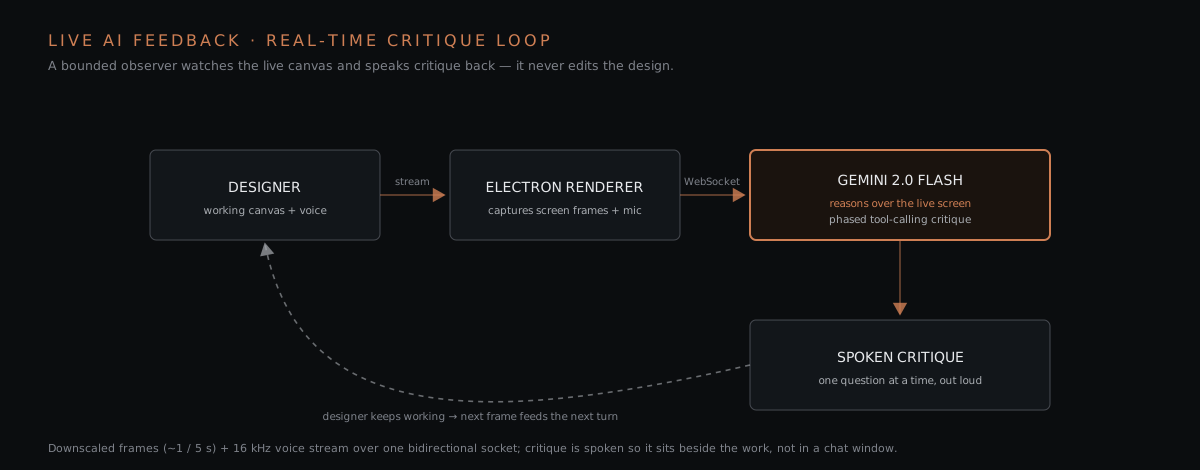
The app is an electron-vite project: an Electron main process, a preload bridge, and a React 18 + TypeScript renderer. The main process is deliberately thin — its main job is desktopCapturer.getSources({ types: ['window', 'screen'] }), exposed to the renderer over IPC so the designer can pick any open window or full screen to share. Everything else runs in the renderer.
The streaming transport
The renderer holds a MultimodalLiveClient — an EventEmitter wrapper around a raw WebSocket to wss://generativelanguage.googleapis.com/…/BidiGenerateContent, Gemini’s bidirectional live endpoint. Three things flow up the socket, and audio flows back down:
| Channel | How it’s sent | Rate / format |
|---|---|---|
| Screen video | <canvas> draw of the shared stream → JPEG → base64, via sendRealtimeInput | ~1 frame / 5 s, downscaled to 0.25× the source resolution |
| Microphone | AudioRecorder worklet → sendRealtimeInput | PCM, 16 kHz |
| Text / context | client.send([{ text }]) | on demand |
| Model audio (down) | audio event → AudioStreamer → speakers | streamed PCM16, voice Aoede |
Downscaling frames to a quarter resolution and pacing them at one every five seconds is the pragmatic decision that makes a continuous screen-share affordable to stream to a frontier model in real time — the model sees enough to reason about layout and hierarchy without paying for a full-rate video feed. The session is configured for an audio response modality, so the critique is spoken, which is what lets it sit next to the designer instead of stealing focus into a chat window.
The phased tool-calling workflow
The model is configured with a system prompt that casts it as a “supportive design co-pilot” for novice designers, plus a googleSearch tool and three function declarations. The real logic lives in how the app responds to tool calls:
Phase 0  Settings tab: target users, pain points, product vision,
         feedback Mode + Type, pick a screen source → Start
Phase 1  App sends initial context message; model introduces itself,
         asks which element to discuss
Phase 2  Model calls ask_initial_questions()
           → App injects ASK_INITIAL_QUESTIONS_GUIDE
           → model asks ONE question, waits, identifies element + intent
Phase 3  Model confirms readiness before critiquing
Phase 4  Model calls provide_feedback()
           → App runs getFeedbackGuidance(mode, type)
           → App injects the matching Diverge/Converge prompt
           → model weaves critique in as questions/suggestions
(background) list_design_critiques() — model must silently keep the
             notes ledger current after every meaningful exchange
The key implementation detail is that the tools take almost no arguments. ask_initial_questions and provide_feedback have empty parameter schemas. They aren’t there to pass data to the app — they’re there so the app can intercept the call in its onToolCall handler and hand back the exact prompt guidance the model should follow next. The model’s own decision to call a tool becomes the trigger for injecting the right instructions. This keeps the multi-thousand-word prompt library out of the system prompt (where it would dilute every turn) and pages it in only at the phase where it applies.
list_design_critiques is the one tool that carries real data: it sends the complete desired list of notes on every call — each note a { category, description, priority: High|Medium|Low } object — and the app replaces its state wholesale. Add, update, and delete are all expressed as “here is the full list that should exist now,” which sidesteps the model having to track note IDs. The system prompt makes maintaining this ledger a mandatory, silent background task.
The feedback taxonomy
getFeedbackGuidance is the piece of prompt engineering that gives the critique its shape. Feedback is selected along two axes chosen by the designer in the Settings tab (or left on adaptive, in which case the model proposes a direction and asks):
- Mode — Diverge / brainstorm (generate many ideas, challenge the status quo) vs. Converge / evaluation (prioritize, compare, refine).
- Type — Visual, Product, Method, or Interaction.
The 2 modes × 4 types produce eight distinct prompt bodies (e.g. TYPE_VISUAL_CONVERGE_DETAIL, TYPE_INTERACTION_DIVERGE_DETAIL), each a curated set of reflective questions for that quadrant — visual hierarchy and accessibility for Visual, affordances and error recovery for Interaction, and so on. Every one of them ends with the same instruction: use these as inspiration, do not read the list aloud, then silently update the notes. The design intent throughout is facilitative — the system prompt explicitly forbids “you should do X” commands and pushes the model toward “have you considered…?” and, when asked point-blank what to do, toward offering options rather than an answer.
Exploratory Figma write-back
Beyond spoken critique, the fork wires the Figma REST API so a piece of feedback can be posted as a comment anchored to a specific node in the designer’s Figma file — closing the loop from “the AI noticed something” to “there’s a note pinned on the artboard.” It’s an exploratory integration (tested against a fixed file/node in the current build), but it points at where the tool wants to go: critique that lands in the design surface, not just in a transcript.
Stack
- Shell: Electron (
electron-vite) — thin main process (desktopCapturer+ IPC), preload bridge, React renderer. - Renderer: React 18 · TypeScript · Vite · Zustand · SCSS.
- AI: Gemini Multimodal Live API (
gemini-2.0-flash-exp) over a bidirectional WebSocket;@google/generative-aitypes;googleSearch+ custom function-calling. - Media:
desktopCapturerscreen/window capture · canvas→JPEG frame extraction · Web Audio worklets for 16 kHz PCM record + PCM16 playback. - Integrations: Figma REST API (node-anchored comments).
- Persistence: conversation history + design notes in
localStorage. - Runtime: desktop, local-first — the API key lives in the client, and the app packages for Windows / macOS / Linux via
electron-builder.
Honest state of the build
This is research software, and the source is candid about its edges:
- The critique loop — screen + voice streaming, phased tool-calling, spoken feedback, the live notes panel — works.
- An early
request_summarytool is documented in the README as currently failing due to API limits; the summary path is not reliably wired. - Transcription of the spoken conversation (Gemini’s
input/output_audio_transcription) was in progress on thefeature/transcriptionbranch — the fields are set in the config and the content handler has debug hooks for them, but the transcript-to-history wiring was left commented out pending the correct response shape. - The Figma integration is a tested proof-of-concept against a hardcoded file/node, not a general feature.
My contribution
I extended the Design-Copilot fork during my Independent Study. My work concentrated on the prompt architecture and the tool-calling logic — modularizing prompt fetching so guidance is paged in per phase, refining the system prompt to keep the conversation concise and to avoid harsh phase transitions, tightening when and how often the model is required to maintain the list_design_critiques ledger, and building the exploratory Figma comment integration. Gati Aher remains the original author and lead of the underlying system.
Relationship to thesis
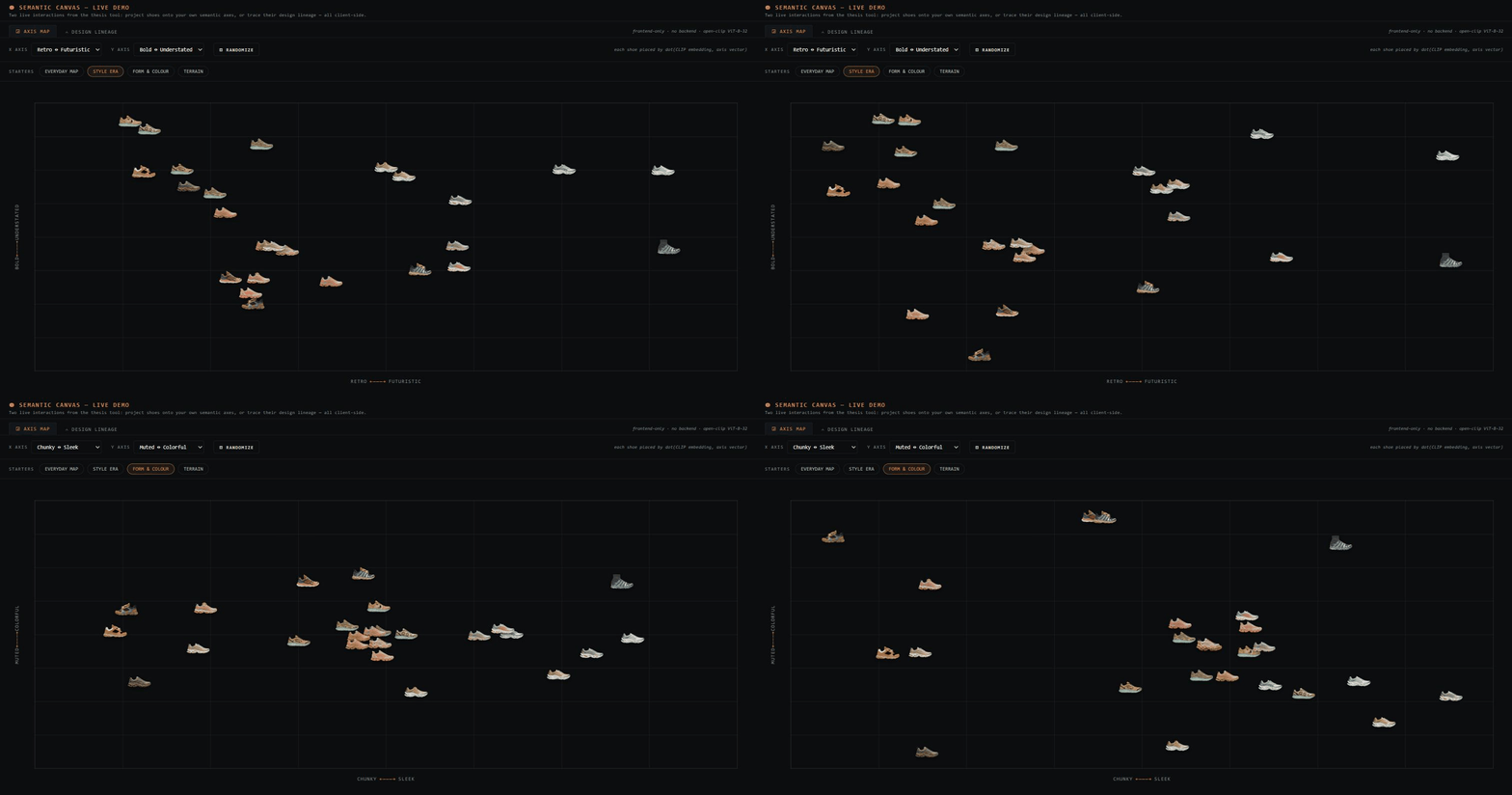
This is the earliest working prototype of a design philosophy I carried into my thesis: AI as a bounded observer, not a delegated actor. Here the model reads the screen, asks, and critiques — but it never edits the design for you; the closest it gets to acting is pinning a comment. That same restraint — the AI surfaces insight and leaves the decisions with the designer — became the Gemini observer in [[2025-Fall—semantic-canvas-thesis-tool|Semantic Canvas]]. Live AI Feedback is where the pattern was first tested against a live, real-time signal.
Links
Related cards
- [[2025-Fall—semantic-canvas-thesis-tool]] — the mature version of the bounded-observer pattern
Card rebuilt 2026-07-03 from the Design-Copilot source (App.tsx, promptLibrary.ts, the live client, and the README’s prompt-flow chart). No representative screenshot of the running app exists in the source folder, so the placeholder cover stands.