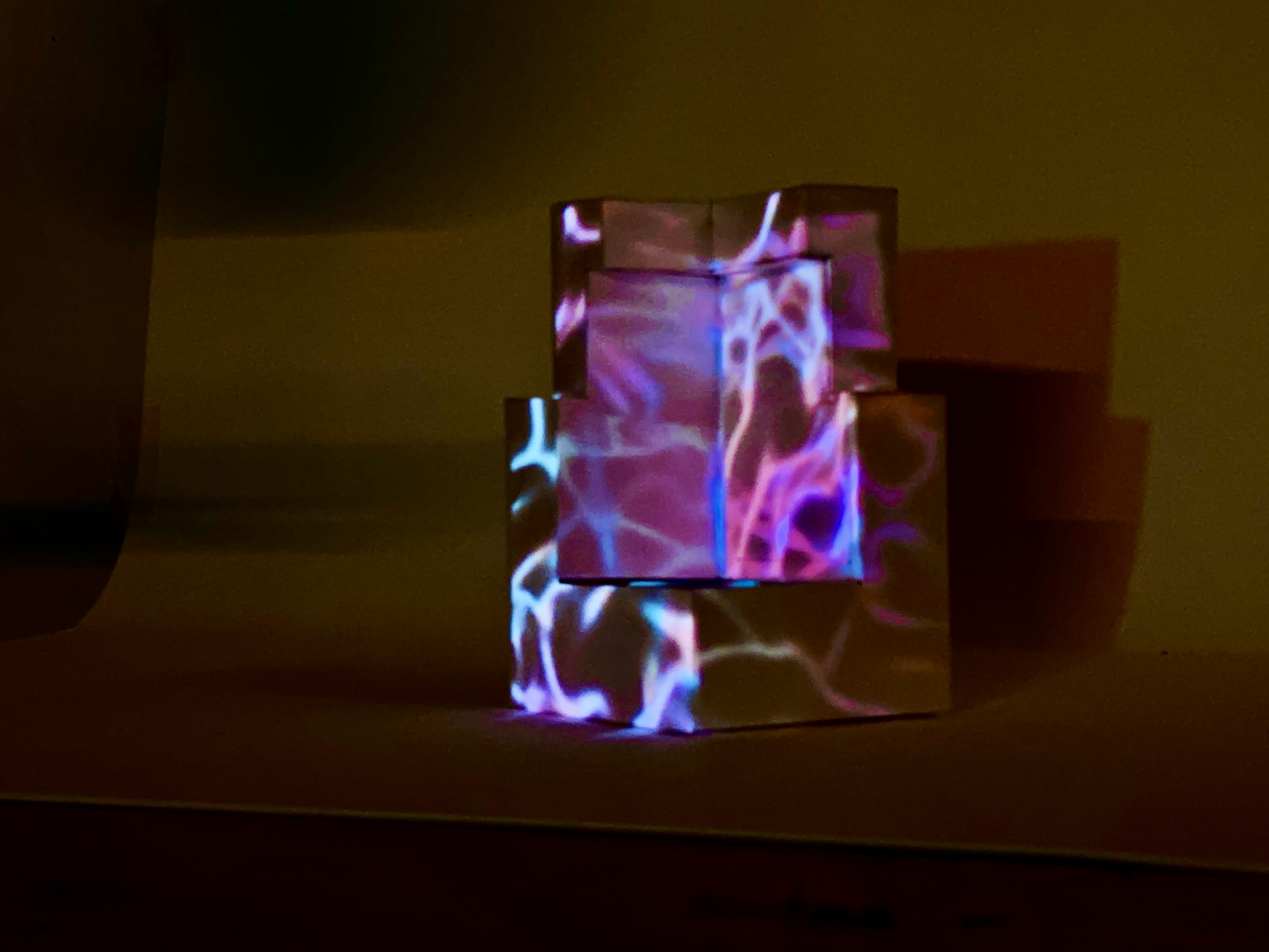
An interactive projection-mapping installation, built entirely in TouchDesigner. A viewer’s hand gestures and head position drive a real-time StreamDiffusion loop that morphs a building facade between a clean modernist style and a radically decayed one — and the synthesized frame is projected back onto a folded paper cube in front of them. Generative audio tracks the transition. There is no model training: the whole piece is a live img2img feedback loop.
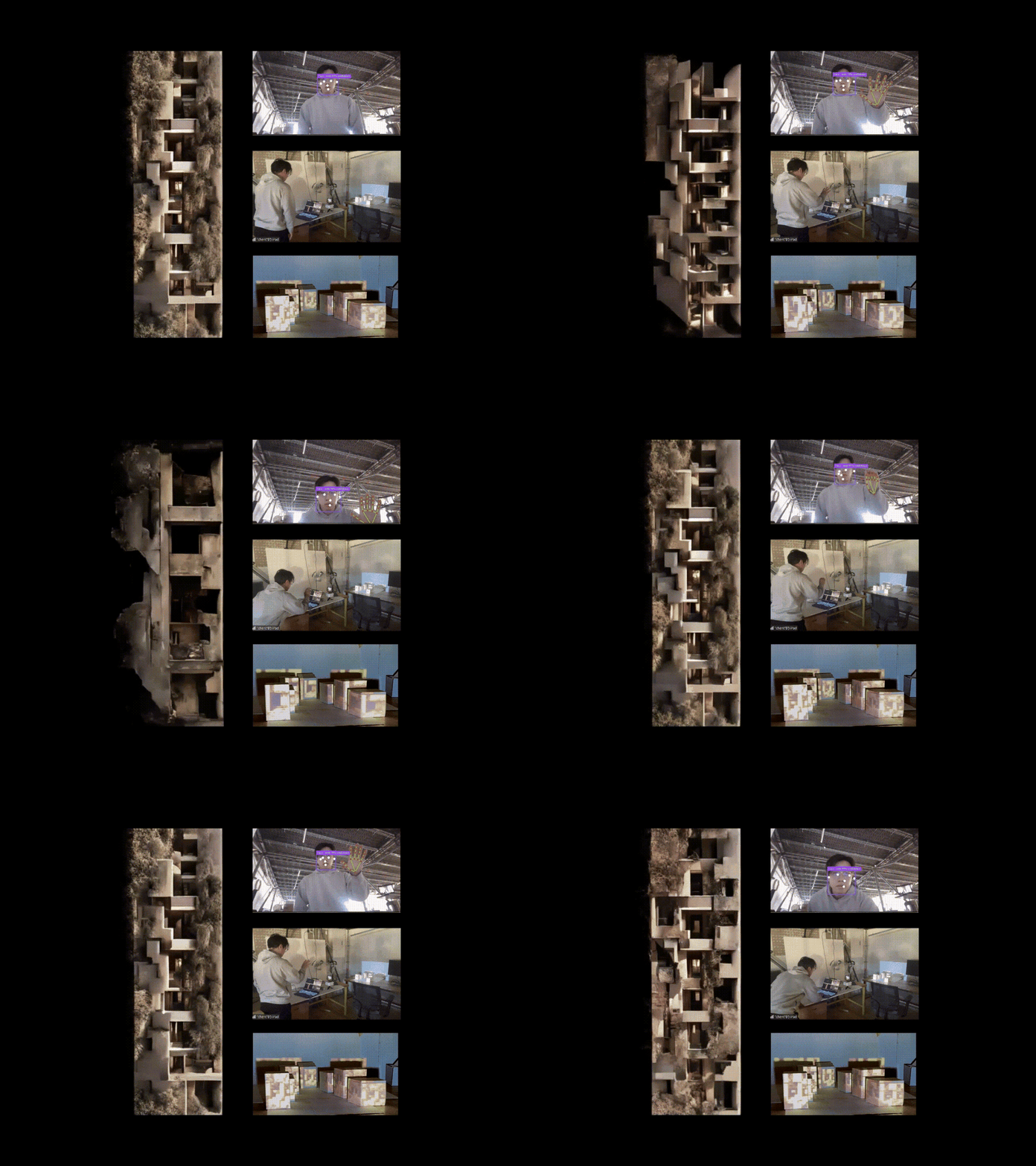
A diffusion model as a surface you steer with your body — Spectral Facades treats it not as a text-to-image tool you prompt once, but as a continuous surface you can steer with your body. The viewer’s nose height sets where the facade sits between two style extremes, and an open-vs-closed palm sets how hard the model pushes toward the synthesized look. Because the output is projection-mapped onto a physical cube the viewer is standing next to, moving to see the result changes the tracking input — closing the loop between participant and artwork.
What it actually is (scope note)
Everything here runs live inside one TouchDesigner 2023.12 project (projection 1121.toe). The pipeline is: webcam → MediaPipe tracking → control signals → StreamDiffusion img2img → projection-mapped output → viewer moves → repeat. The diffusion model is the off-the-shelf stabilityai/sd-turbo running through the StreamDiffusionTD component at 512×512 — it is not fine-tuned, and there is no daylight/environmental-performance simulation anywhere in the project. The novelty is the real-time embodied control surface, not a trained model.
I worked on this as one of four team members (Risa Xie, Carla, Leslie, and me), with no group leader. My contribution centered on the real-time generation and gesture-control side — wiring the MediaPipe tracking CHOPs into the StreamDiffusion prompt/step parameters and getting the whole loop to run interactively.
System architecture
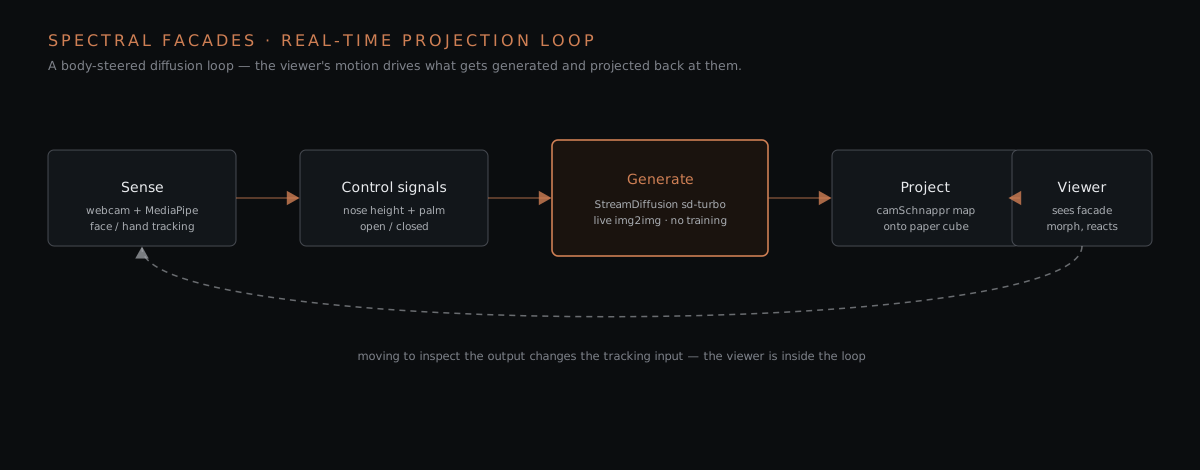
The three stages map onto three regions of the TouchDesigner network.
1 · Sense — MediaPipe tracking
A single webcam feed goes into a MediaPipe component that exposes four tracker outputs as TouchDesigner CHOPs: face_tracking, hand_tracking, pose_tracking, and face_detector. From those, a bank of select and math CHOPs pulls out just the channels the piece needs:
| Signal | Source channels | Drives |
|---|---|---|
| Nose Y position | face_tracking → select10 (p1_nose_ty) | interpolation t between the two facade styles |
| Open / closed palm | hand_tracking → select4/select6, math5 (Open_Palm) | prompt strength + denoise step count |
| Pinch | hand_tracking → select5 (h1:pinch) | auxiliary gesture value |
| Wrist L/R | pose_tracking → select7/select8 | secondary pose input |
| Head positions p1–p4 | face_detector → p1_head..p4_head | multi-face position tracking |
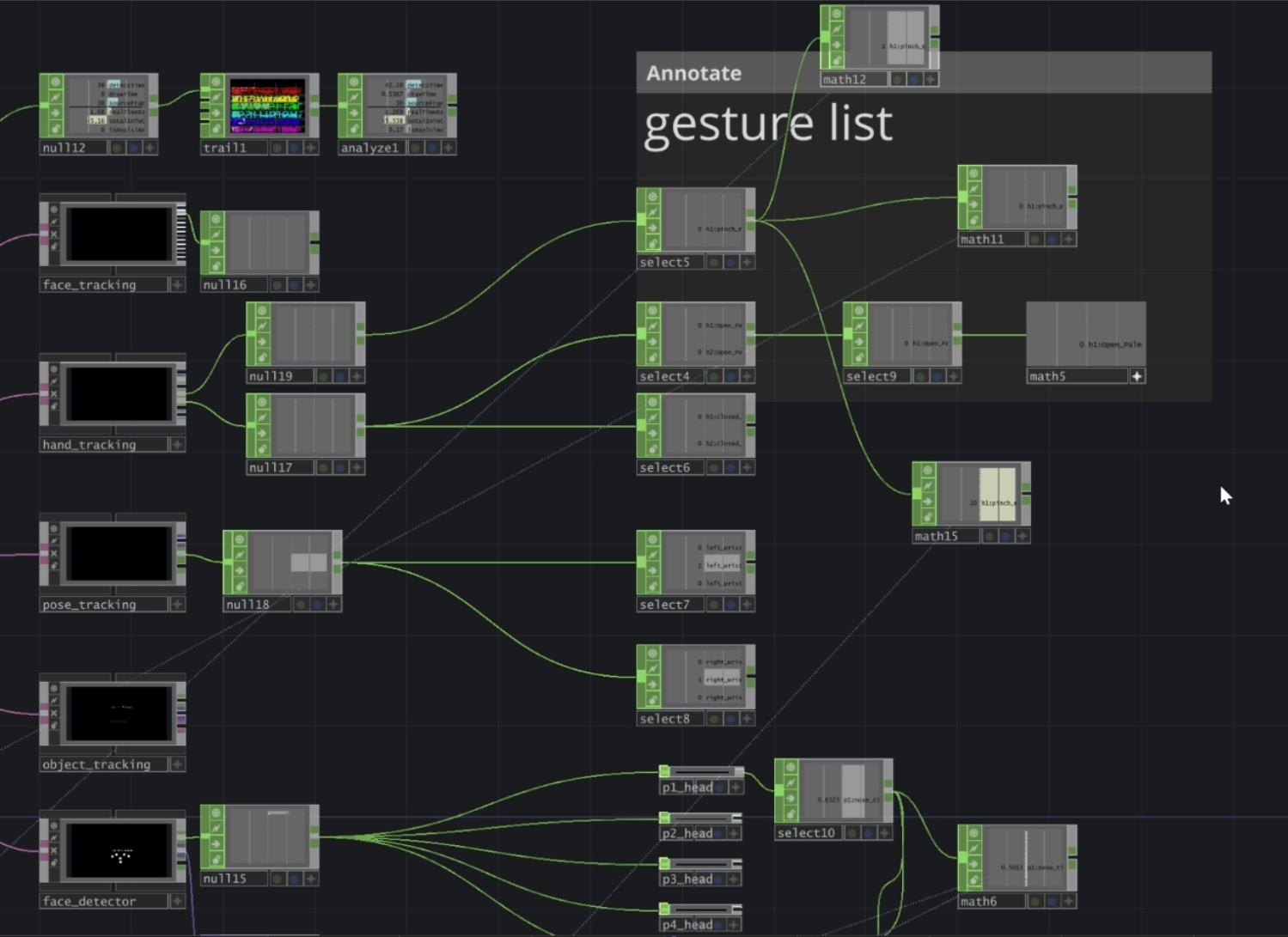
The two control signals that matter most are deliberately simple and legible on camera: the vertical position of the nose tip, and whether the hand is an open or closed palm. Keeping the control vocabulary this small is what makes the installation usable by a first-time viewer with no instructions.
2 · Generate — StreamDiffusion (real-time img2img)
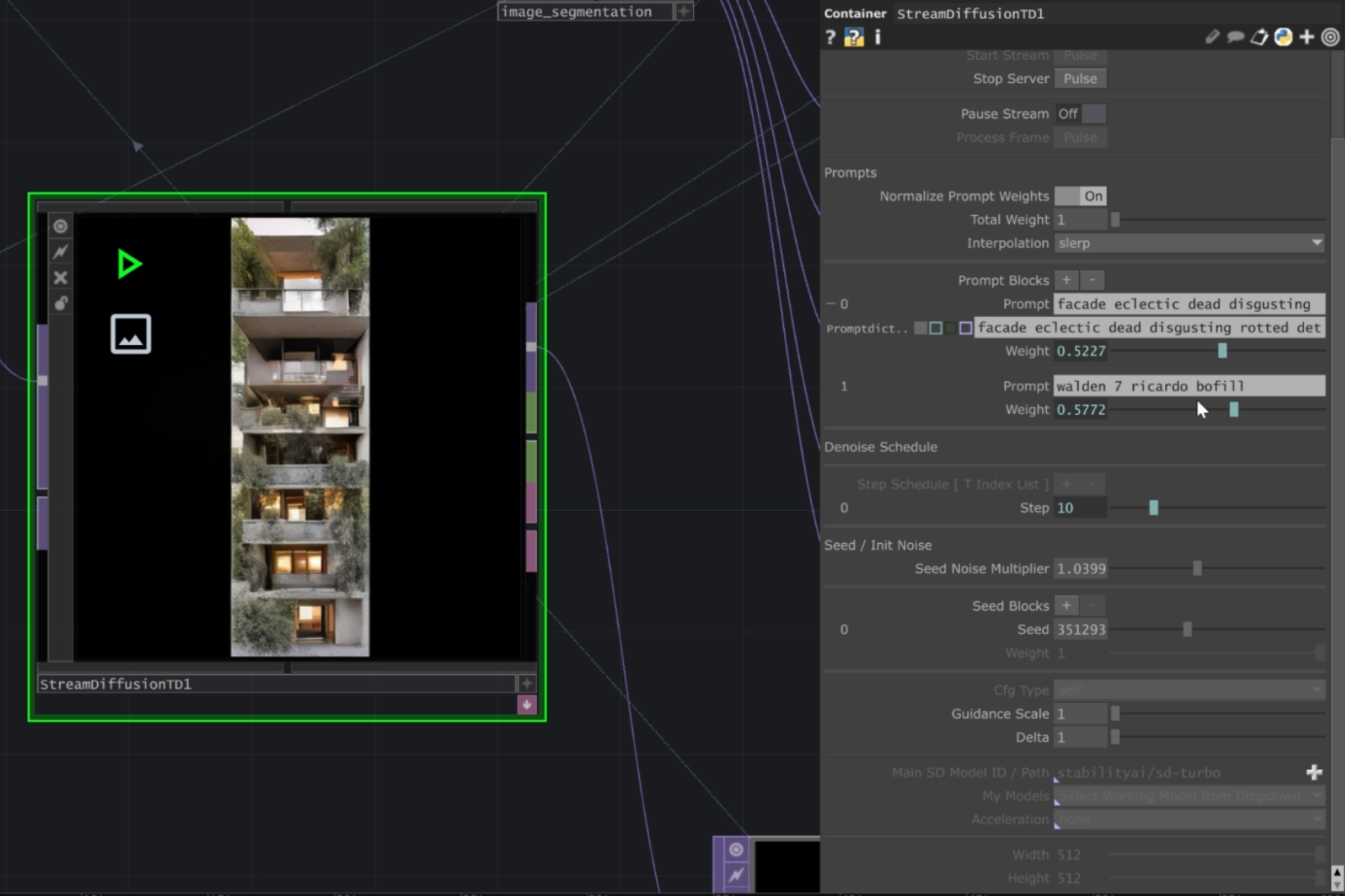
The generation stage runs StreamDiffusionTD, a StreamDiffusion wrapper inside TouchDesigner, on the stabilityai/sd-turbo model at 512×512. It runs as img2img: a seed texture is fed in every frame and re-synthesized under two weighted text prompts.
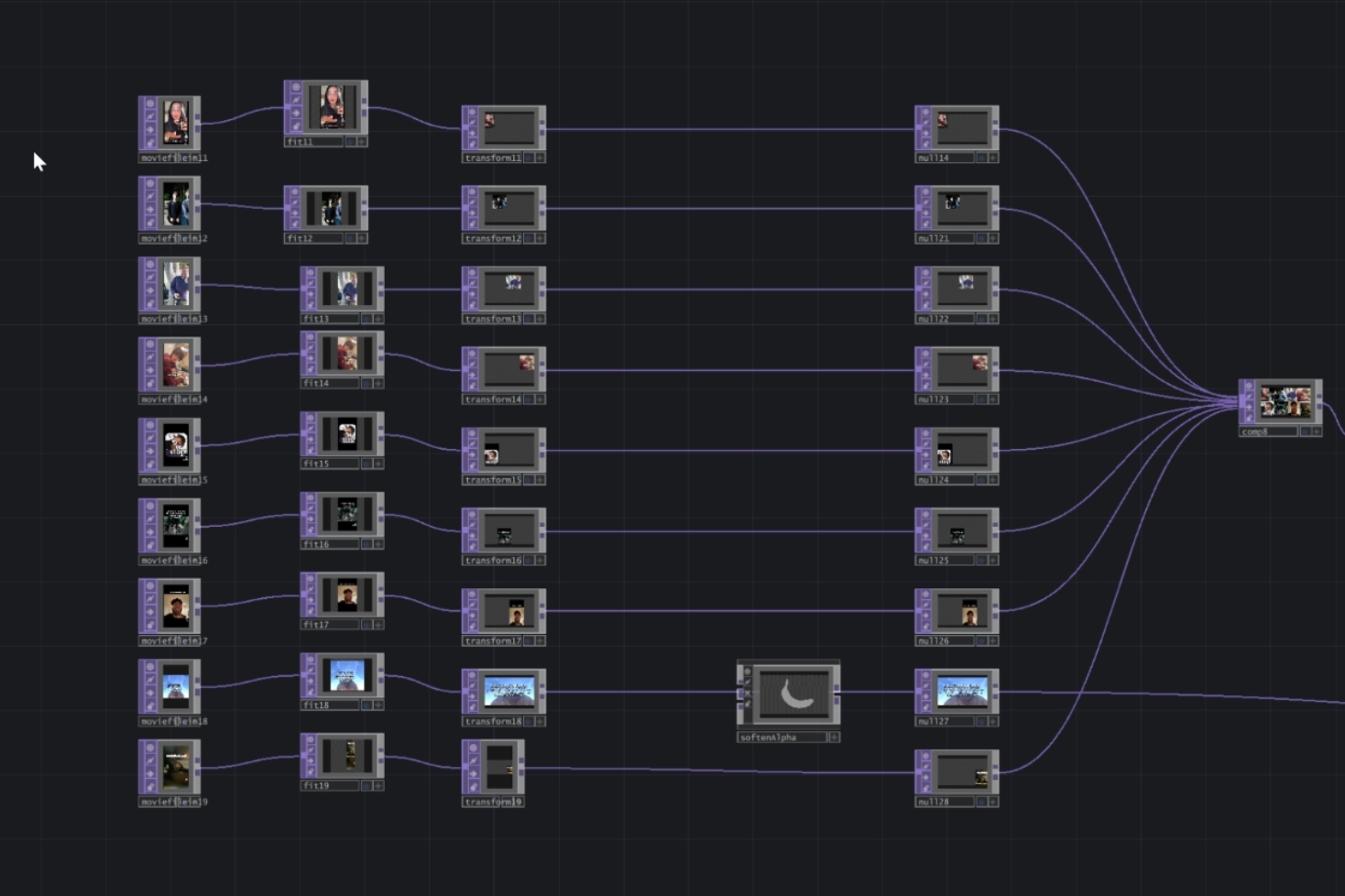
Input texture. Rather than start from noise, we composite an input image out of roughly nine internet-meme clips — a chain of moviefilein → fit → transform → null → comp8 operators blends them into one texture — plus a “basic facade” texture for the modern/decayed base states. This gives the diffusion model chaotic but consistent structure to hallucinate a facade on top of.
Dual weighted prompts. Two prompt blocks are fed simultaneously and blended with slerp interpolation (normalize-weights on, total weight 1):
P0  "facade eclectic dead disgusting rotted det..."   weight ≈ 0.52   (decayed / dystopian)
P1  "walden 7 ricardo bofill"                          weight ≈ 0.58   (modernist)
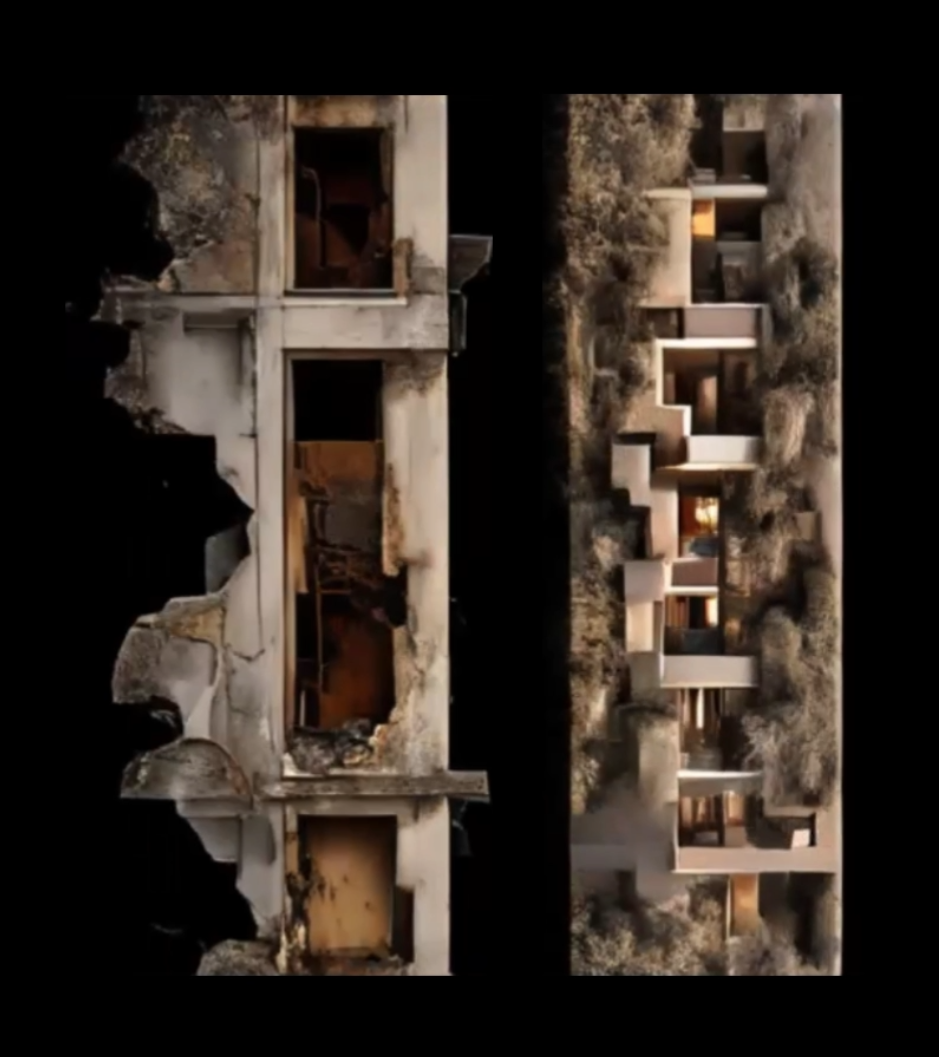
The modernist prompt references Walden 7 by architect Ricardo Bofill; the other end is a deliberately grotesque, decayed aesthetic. Nose Y continuously rebalances these two weights, so the facade slides along a spectrum instead of snapping between two discrete states.
Gesture → denoise coupling. The open/closed palm signal modifies how strongly the prompt overrides the input texture — effectively the number of denoise steps applied per frame. Open palm keeps the output faithful to the input texture; closed palm pushes further toward the fully synthesized facade. The engine ran with step 10, guidance scale 1, delta 1, and a fixed seed (351293).
3 · Project — mapping onto a physical cube
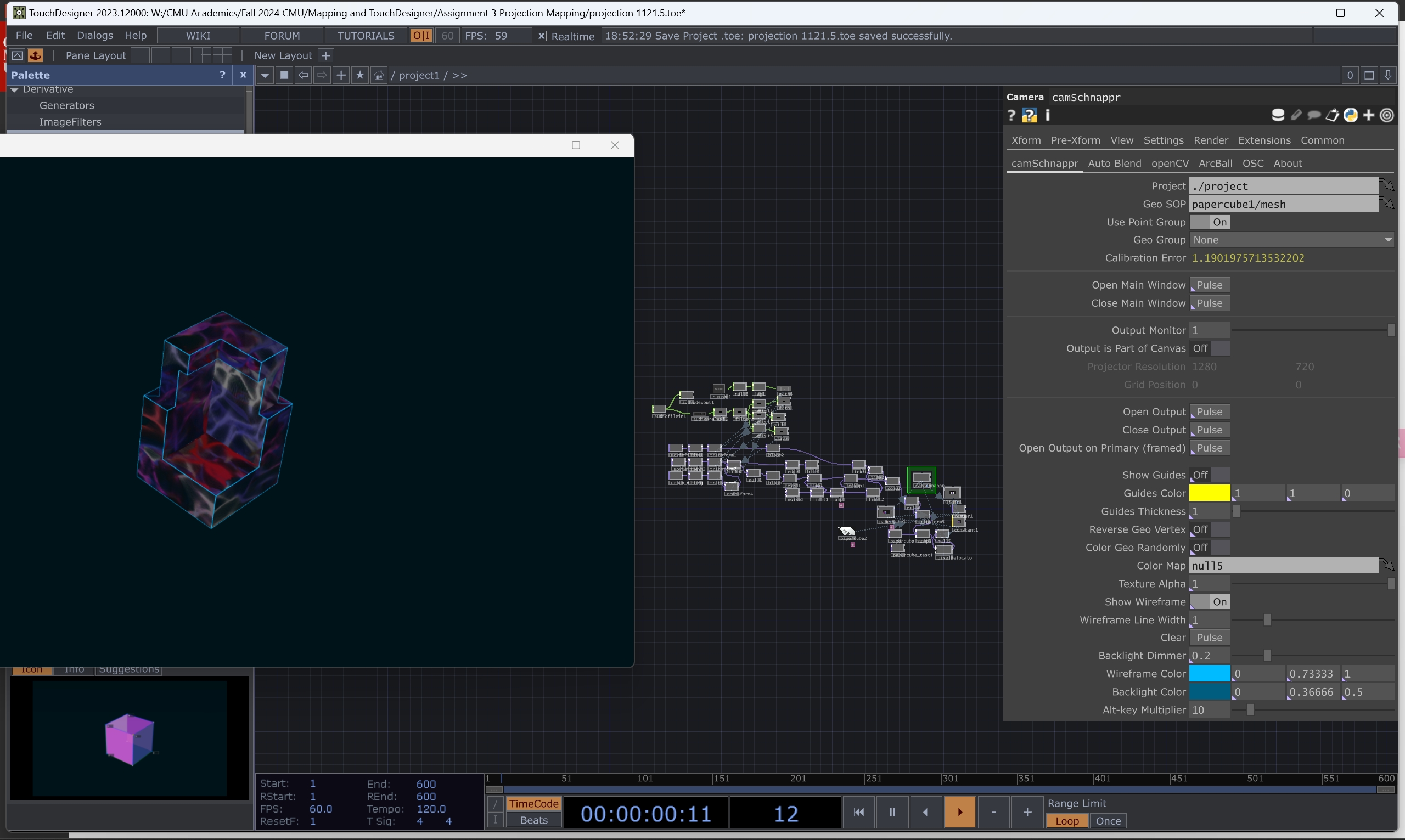
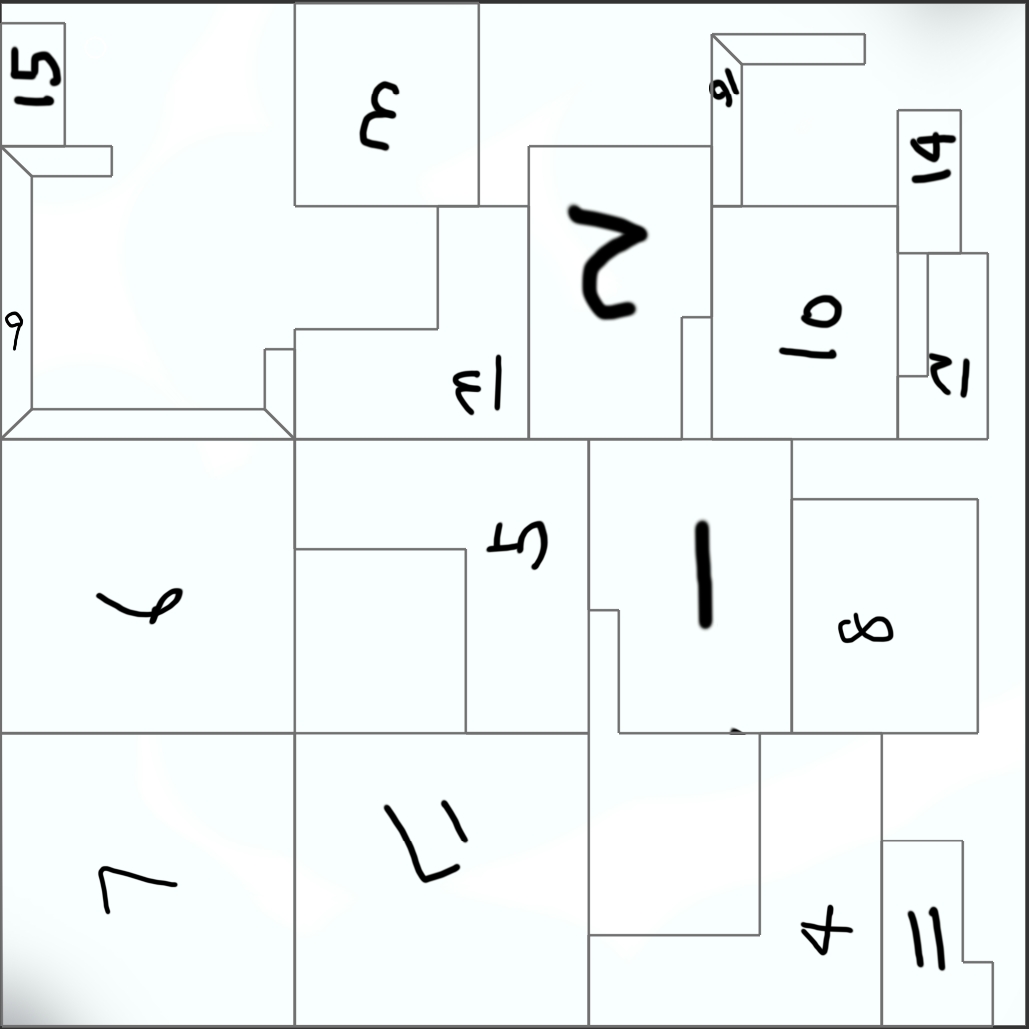
The synthesized frame is then projection-mapped onto a physical folded-paper cube. The cube geometry comes from an unfolded net (Cube.pdf for the physical fold; papercube.fbx as the 3D mesh). TouchDesigner’s camSchnappr tool handles projector-to-object calibration — you click corresponding points between the virtual mesh and the real cube until the projected image registers on the physical faces.
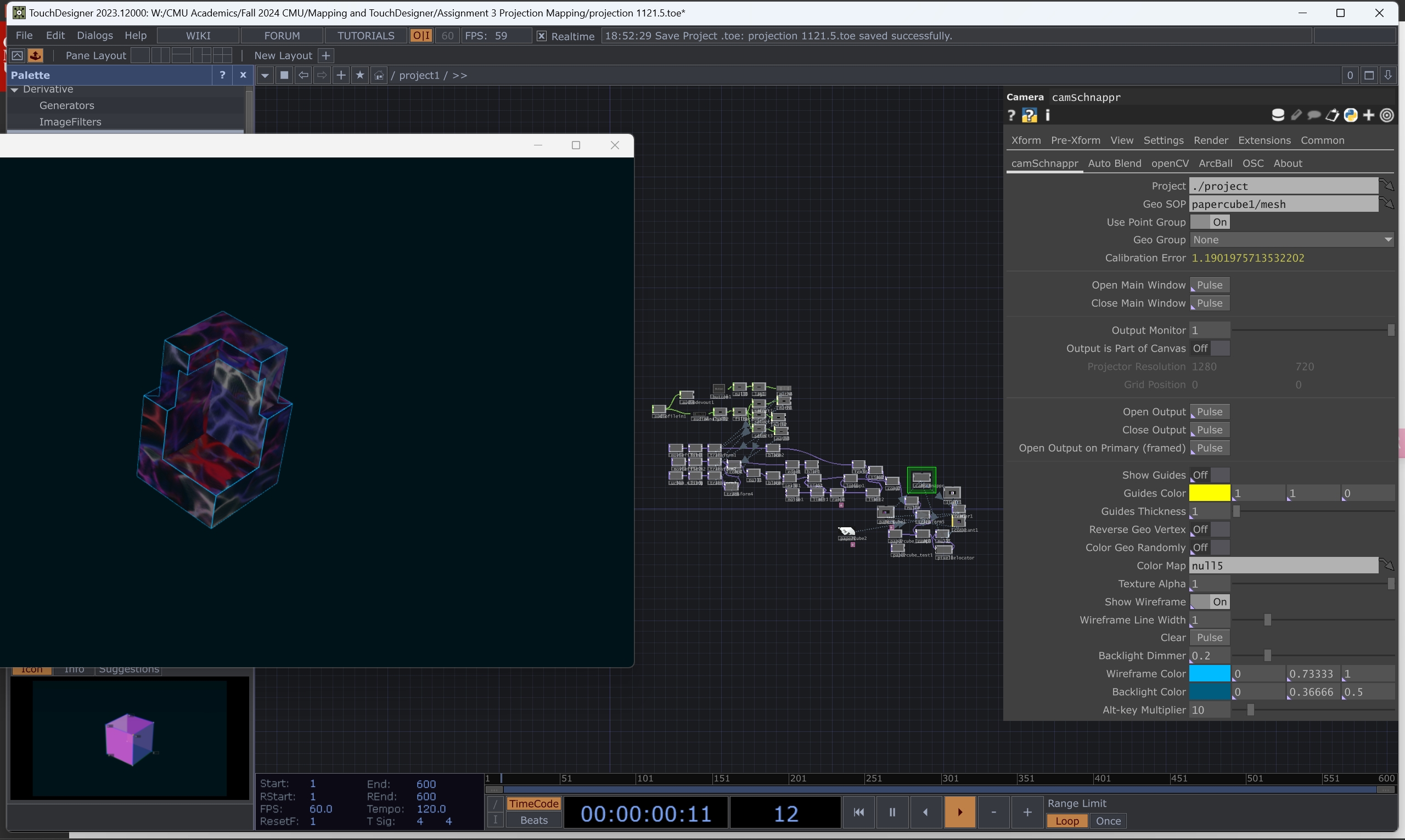
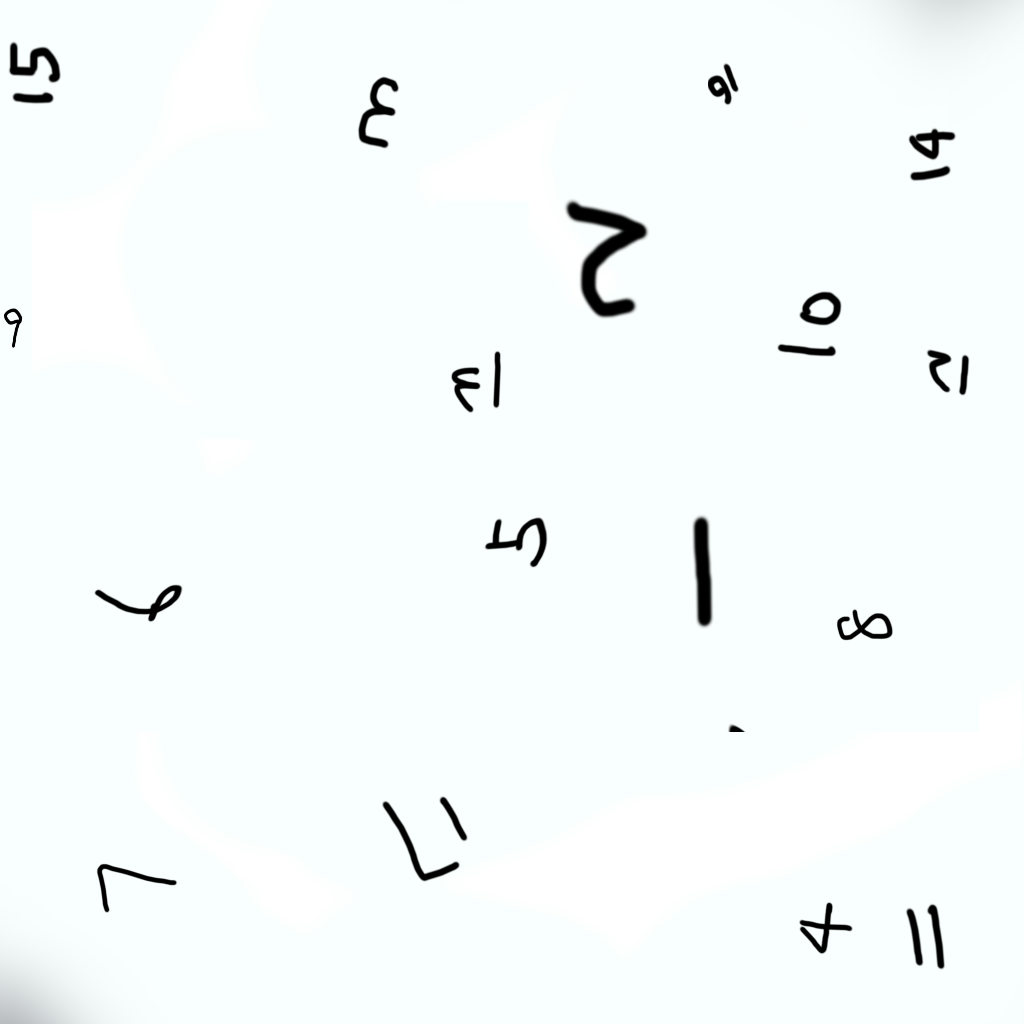
Concrete settings from the project file: Geo SOP papercube1/mesh, a resulting calibration error of 1.19, and a projector resolution of 1280×720. A numbered UV-check texture was projected first to confirm each face landed correctly before running the live diffusion output.
Each facade style also carries its own musical layer; as the palm gesture shifts between states, the audio volume tracks the active stage, so the sonic and visual transitions move together.
The closed loop
The reason it reads as an installation rather than a screen demo is the feedback: the output is on a physical object in the room with the viewer, so any movement to inspect it changes the nose-Y and hand signals, which changes the next generated frame. Sense → generate → project → move → sense. The viewer is inside the control loop, not operating it from outside.
Outcome
The finished piece runs as a live, real-time installation (demoed on video): a paper cube whose projected facade morphs continuously from crisp modernist geometry into fantastical decaying structures as a viewer raises/lowers their head and opens/closes a hand, with a coupled generative soundtrack. It shows that a general-purpose, un-fine-tuned diffusion model (sd-turbo) can be turned into an expressive, embodied design instrument purely through the control surface around it — real-time tracking mapped onto prompt weights and denoise steps — rather than through model training.
Built for 48-652 Pixels Photons (Mapping & TouchDesigner), Fall 2024 — a projection-mapping assignment to design a control surface for interactive architectural imagery.
Links
- Notion page
- YouTube demo
- Local:
W:\CMU_Academics\Fall 2024 CMU\Mapping and TouchDesigner\Assignment 3 Projection Mapping\
Related cards
- [[2024-Fall—design-the-ambience]] — same team, same semester, same course — follow-up final project that extended the gesture-to-diffusion approach from a single screen into full ambient projection